Save Any Video.
Organise Everything.
Share Instantly.
SaveNShare lets you bookmark videos from YouTube, TikTok, Instagram, Facebook and Twitter into smart playlists — with notes, sub-playlists, and sharing built in.
- Save directly from the Share Sheet (iOS) or Share menu (Android) — no copy-paste needed
- Organise into playlists and sub-playlists with notes
- Pin your favourites for quick access
- Share playlists or individual videos with friends
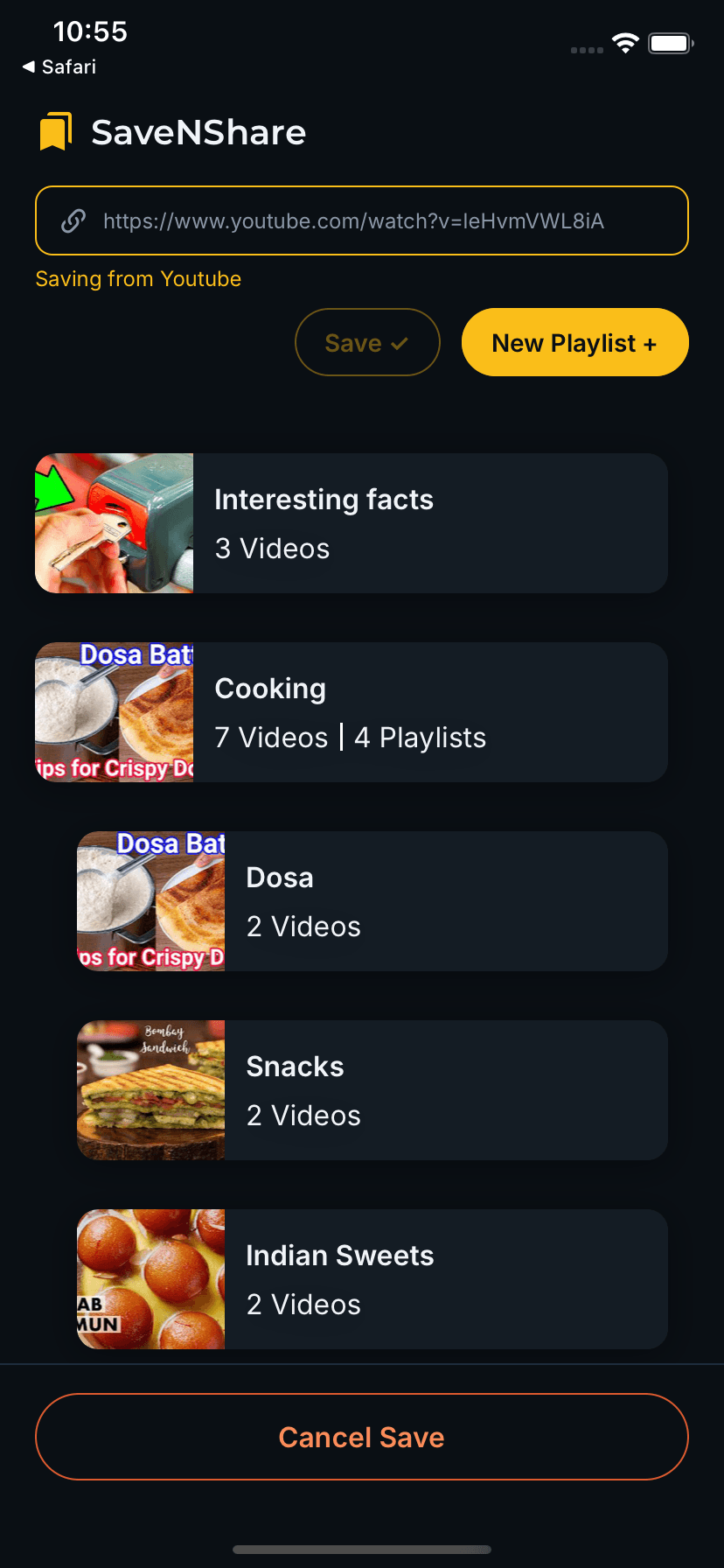
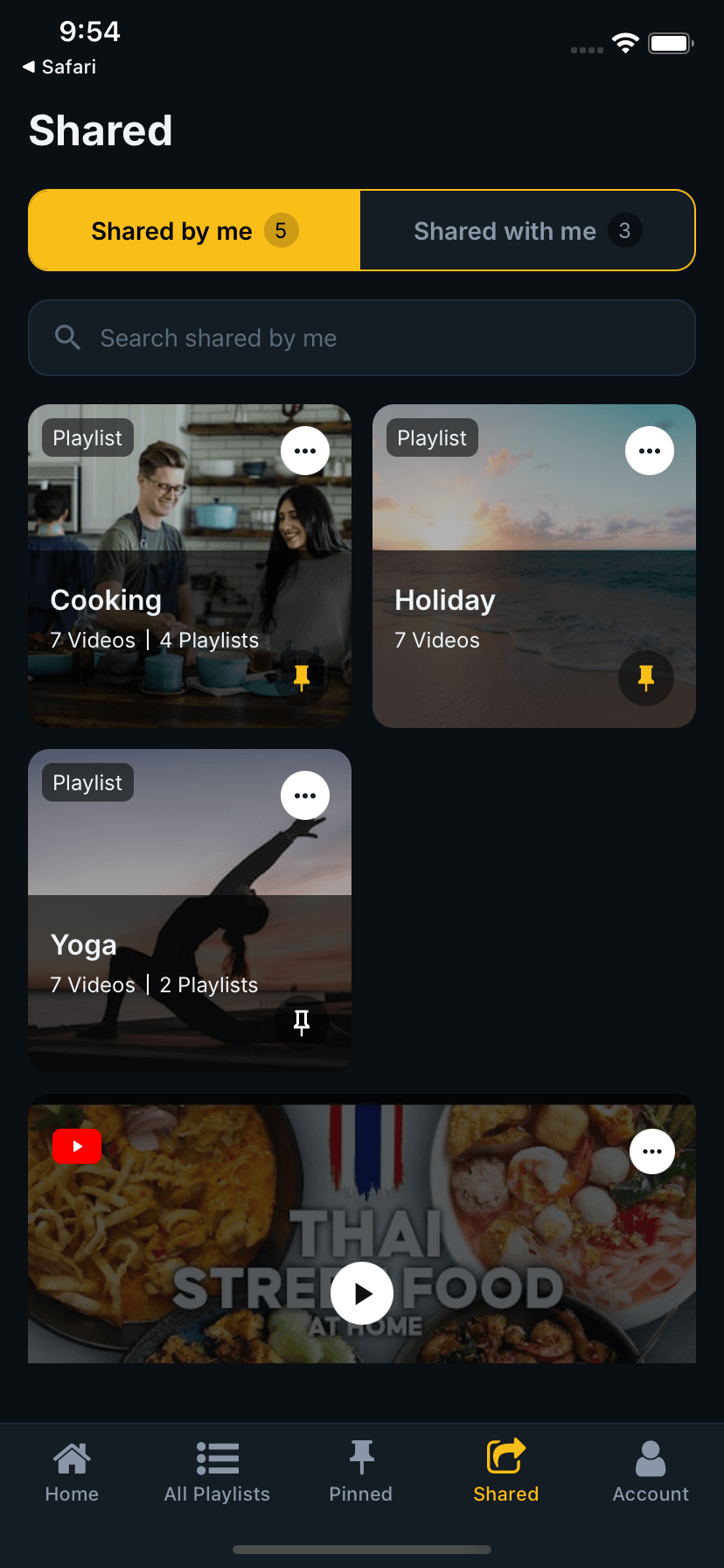
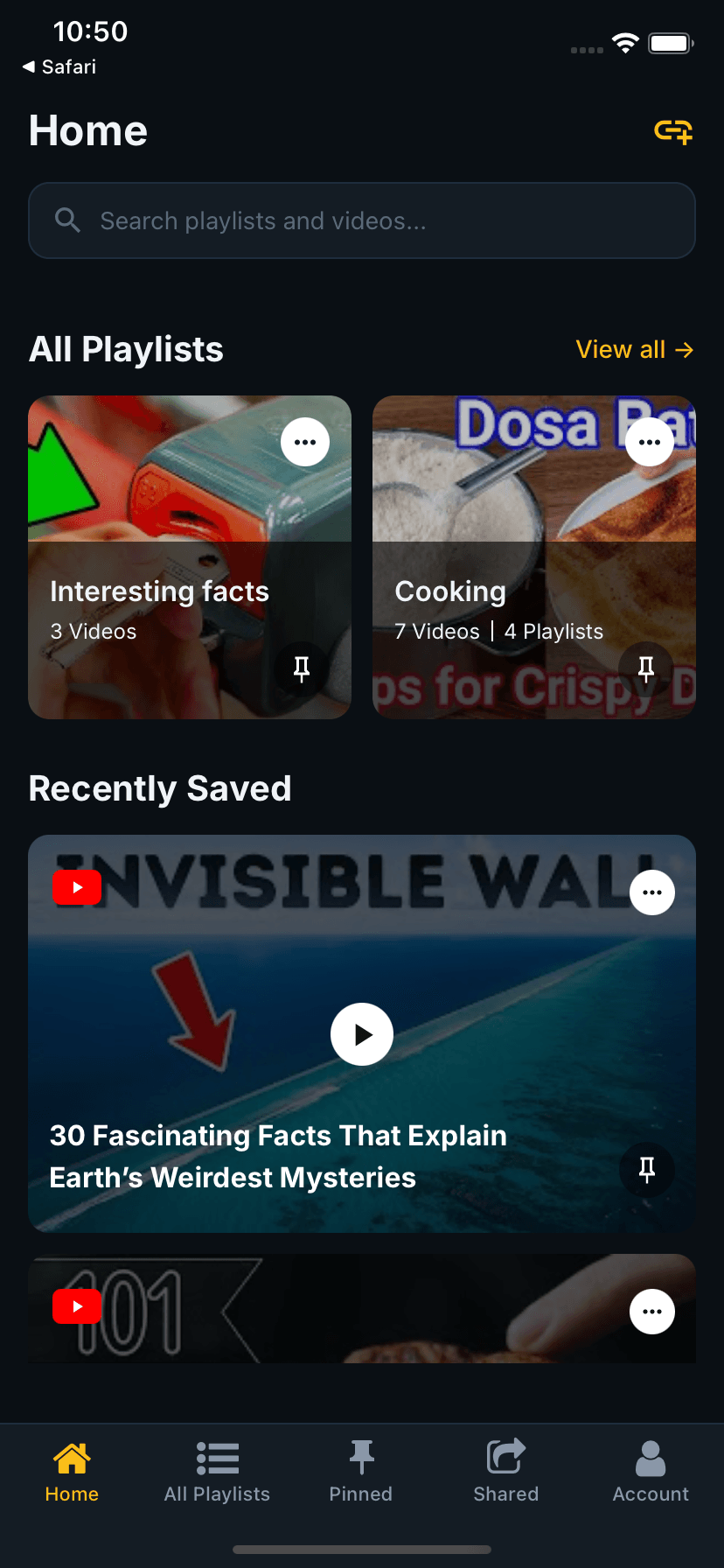
See It in Action
Watch how easy it is to save, organise and share videos with SaveNShare.
Full walkthrough — save a video from the Share Sheet, organise into a playlist, pin and share it.
App Features
Save in Seconds
Share any video URL directly from YouTube, TikTok, Twitter or Facebook into SaveNShare using the iOS Share Sheet or Android Share menu. No switching apps, no copy-paste.
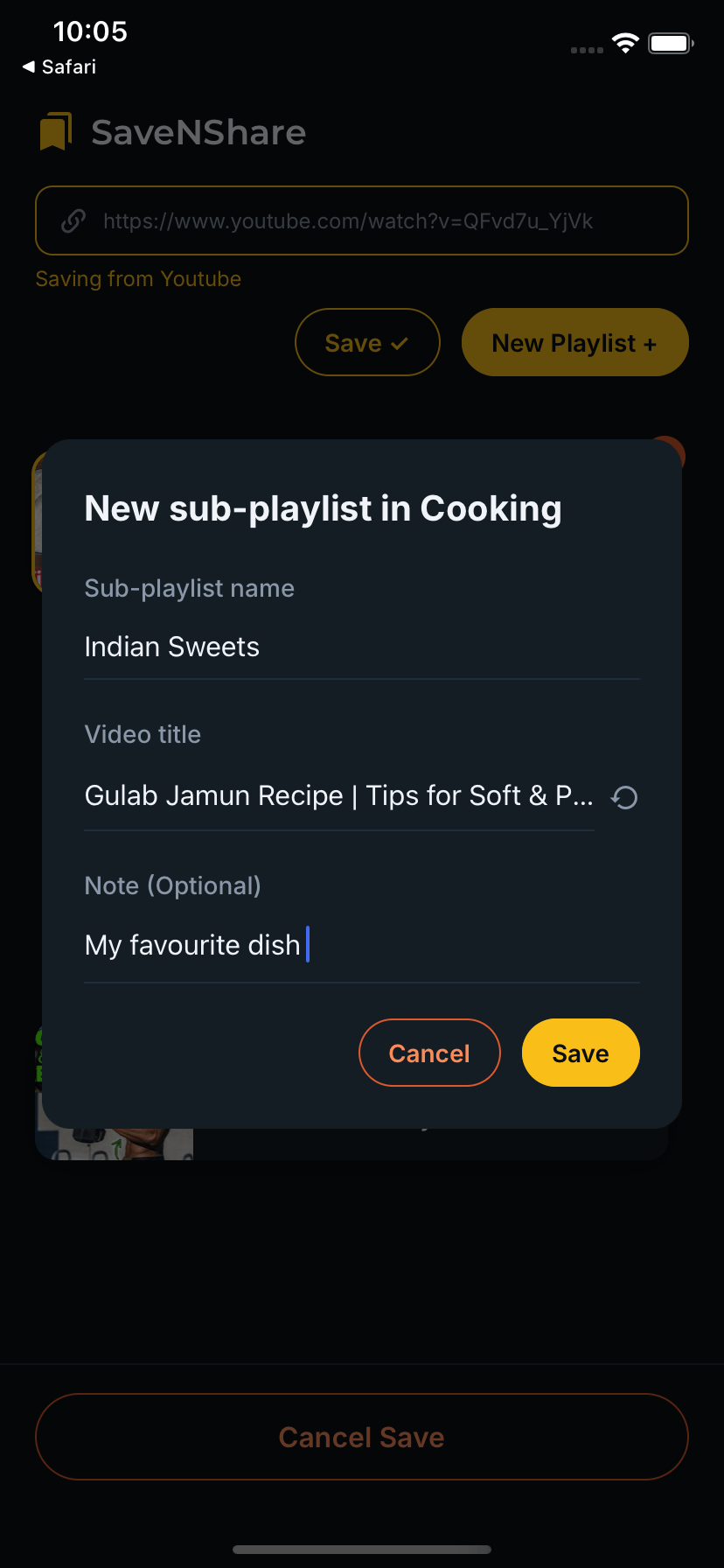
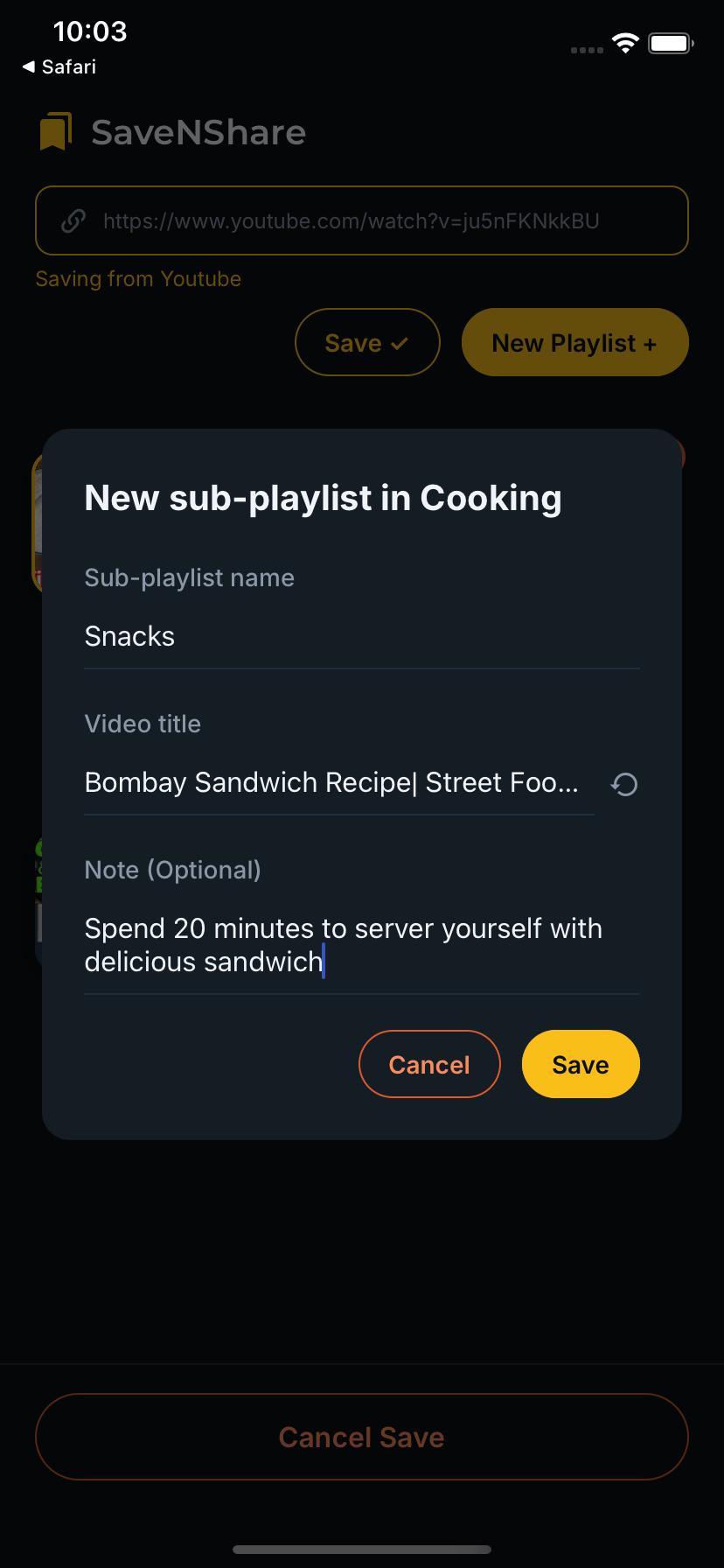
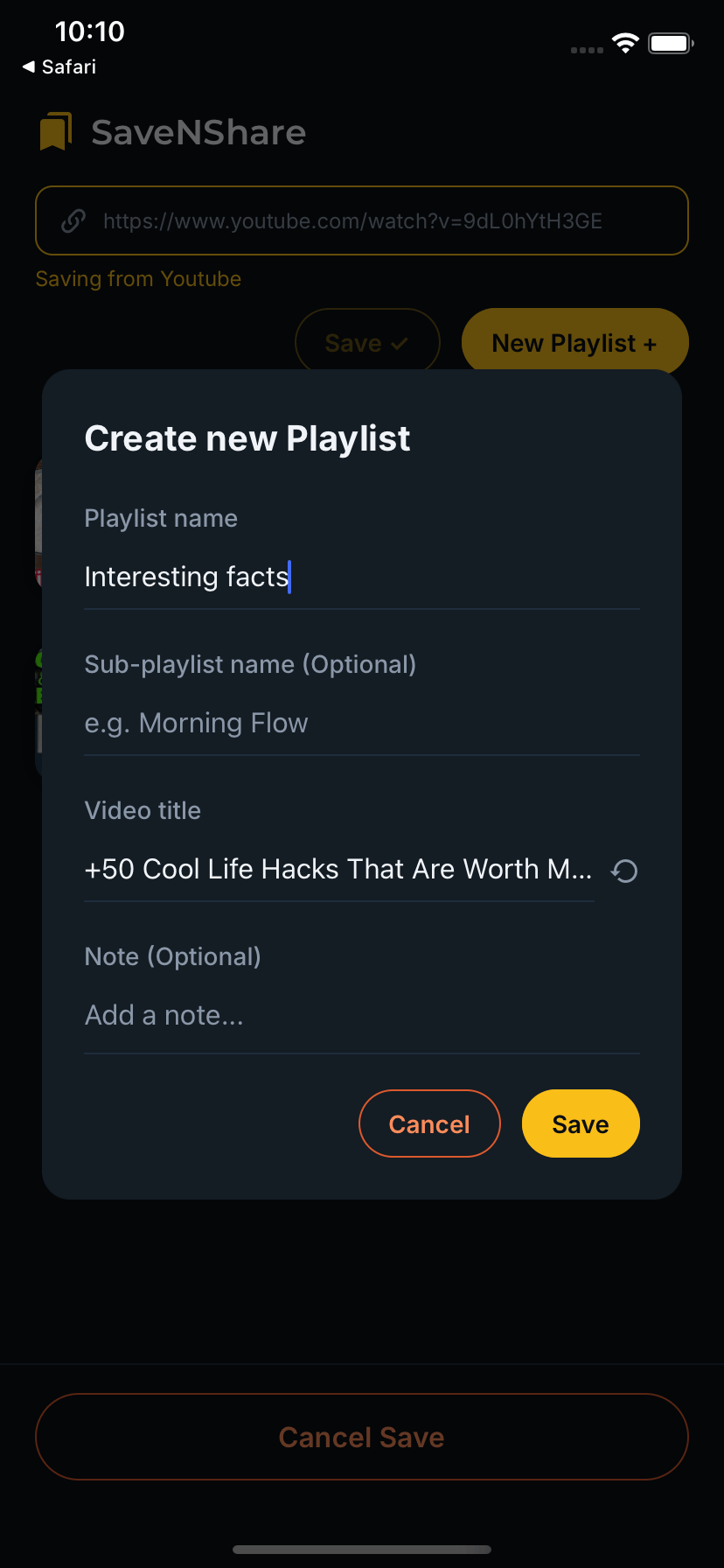
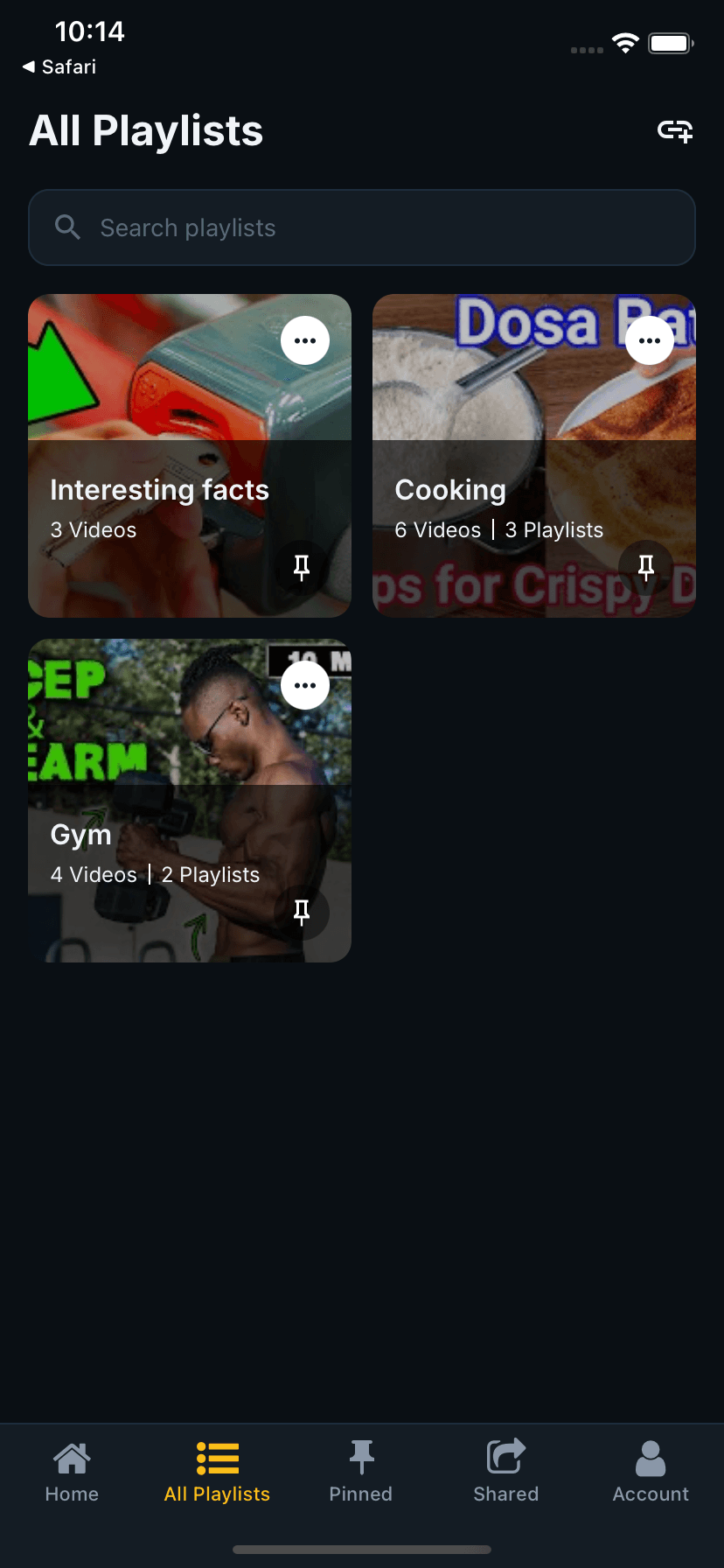
Organise Your Library
Create playlists and sub-playlists to keep your saved videos neatly organised. Browse all your playlists in one place or drill into a playlist to see exactly what's inside.
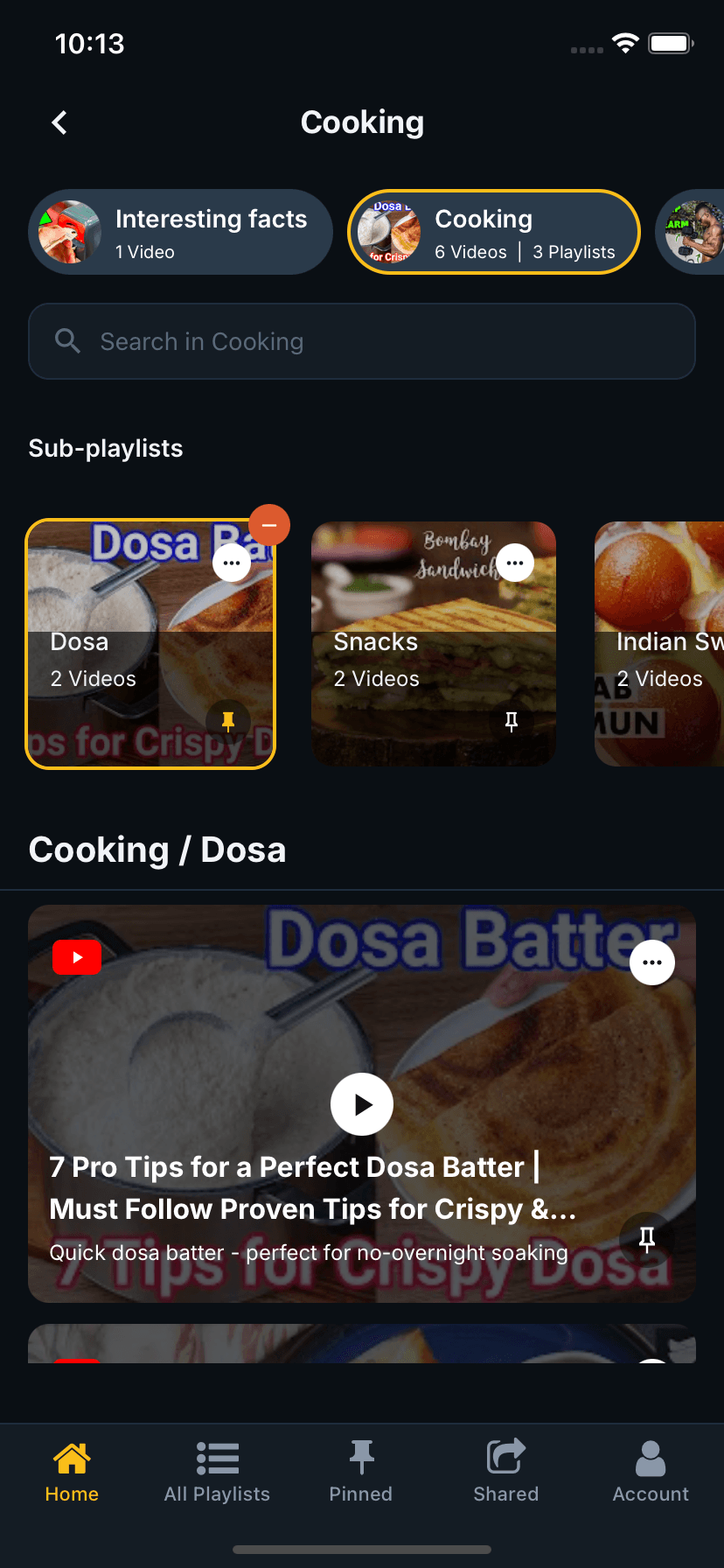
Pin What Matters
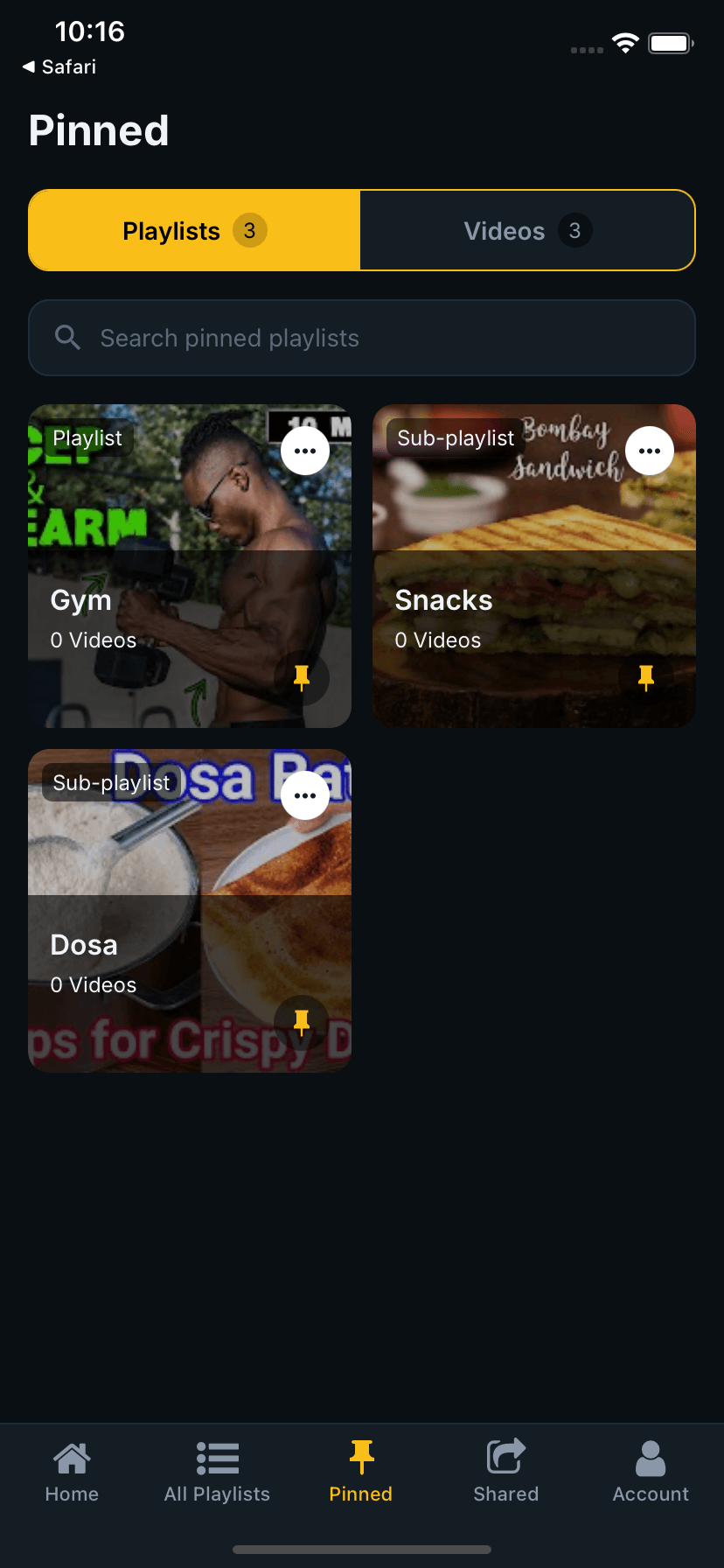
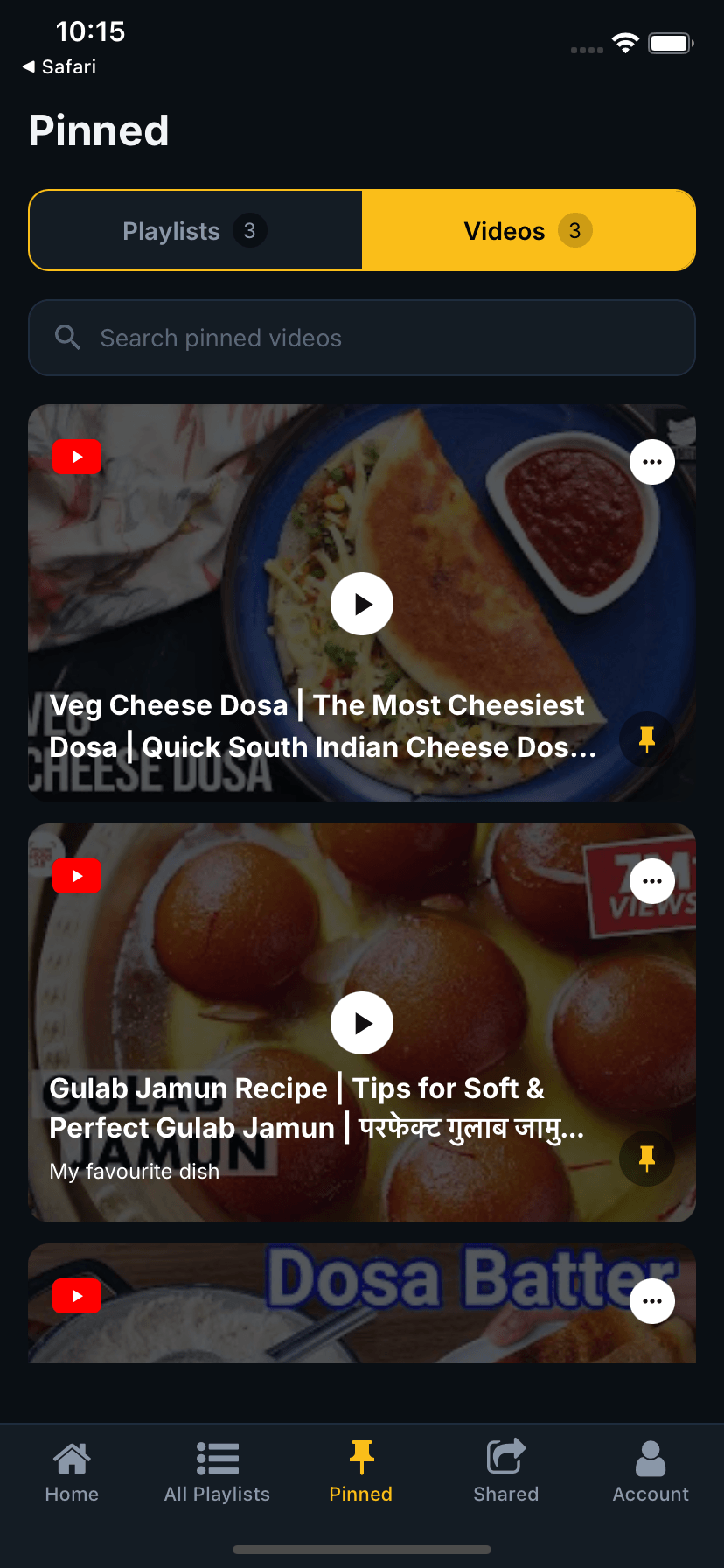
Pin your favourite playlists and videos for instant access. Switch between pinned playlists and pinned videos with a single tap.
Share with Friends
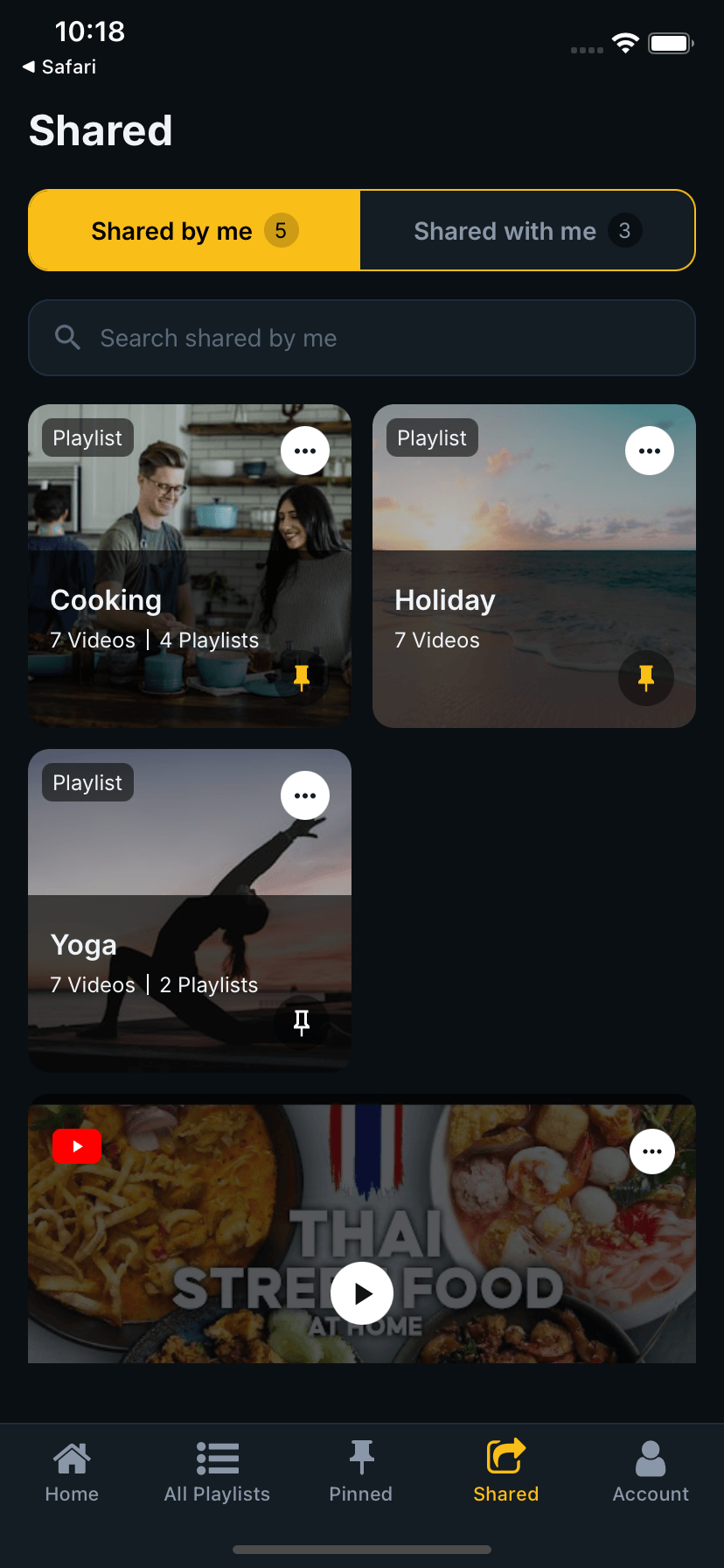
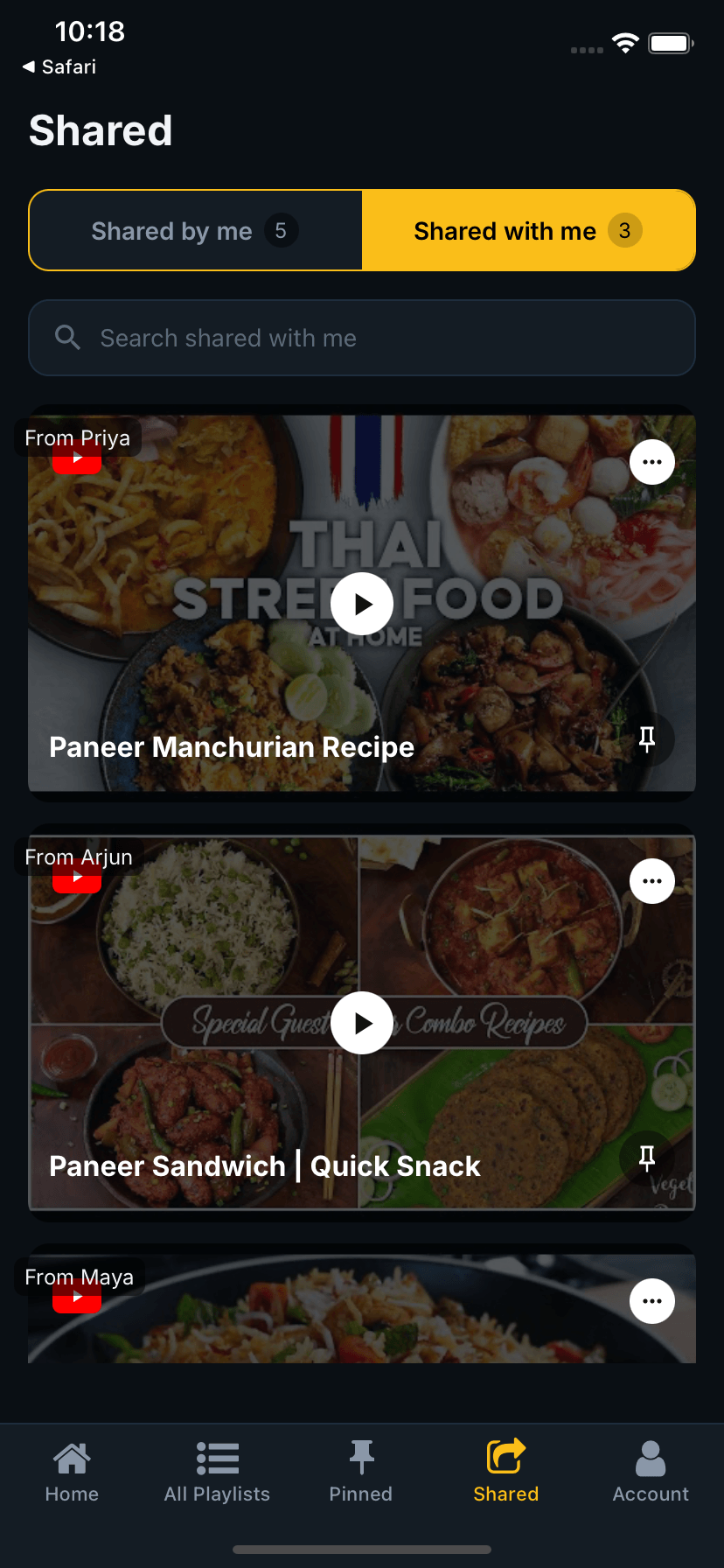
Share entire playlists or individual videos with friends. See what others have shared with you — all in one inbox.
Track Your Usage
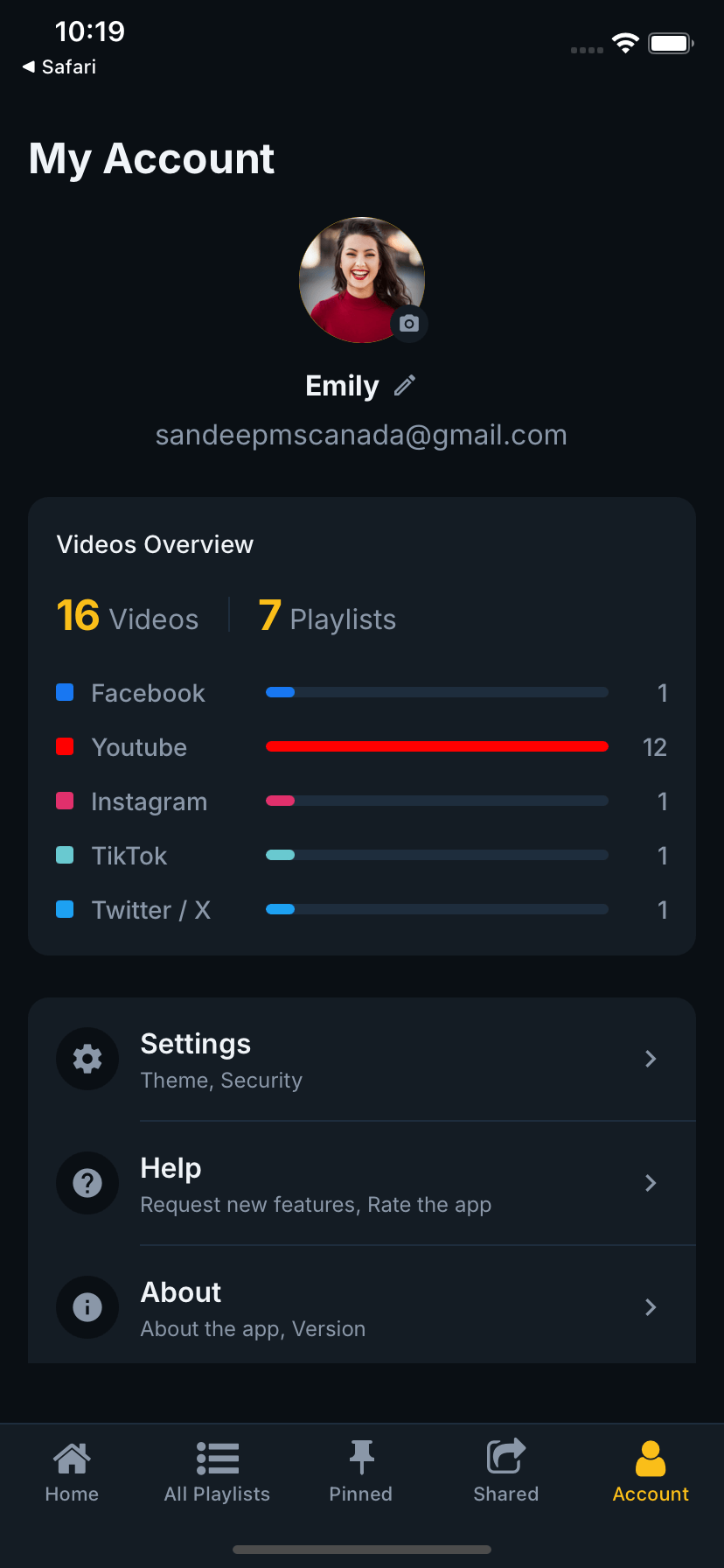
Your account gives you a full overview of saved videos per platform, playlists, settings and more — all in one clean profile.
Works With Your Favourite Platforms
Save videos from the platforms you already use every day.
Why we use Facebook & Instagram oEmbed
SaveNShare uses the Facebook oEmbed API server-side to fetch video titles and thumbnails when you save a Facebook or Instagram video. This means your saved videos are properly labelled and identifiable in your library — the access token is never exposed to the client or stored anywhere. We request only the minimum permissions needed: oembed_read.
Try It on Android
Install the SaveNShare beta directly on your Android device — no Play Store needed.
How to install
- 1Tap the download button below (or scan the QR code) on your Android device
- 2Open the downloaded APK file — tap "Install" when prompted
- 3If asked, enable "Install from unknown sources" in your Android settings
- 4Sign up or log in, then share any YouTube or TikTok video to SaveNShare
This is a development build for testing purposes. YouTube and TikTok video saving is fully functional. Facebook and Instagram support is pending Meta API approval.
Get in Touch
Have feedback, a feature request, or want to know when the app launches? Drop us a message.
SaveNShare is currently in development and will be available on iOS and Android soon. Leave your email and we'll notify you at launch.